- Helpful Guides
- Applying to Mid Guide
- Appointment Scheduler Guide
- Checking Grades Guide
- Online Textbook Ordering Guide
- Self-Service Course Search Guide
- Self-Service Pathway/Timeline Guide
- Self-Service Registration Guide
- Student Records Release Guide
- Phone Number Changes in Self-Service Guide
- Laker Login Set Up Guide
- Password Reset Guide
- Updating MidAlert! Preferences
- Accommodations Agreement Guide
- Reading Your Schedule in Self-Service Guide
- Reading Your Tuition Statement Guide
- Myhub Guide
- Student Records Release PIN in Self Service guide
Use this helpful guide to apply to Mid Michigan College as a Dual/Concurrent Enrollment Student.
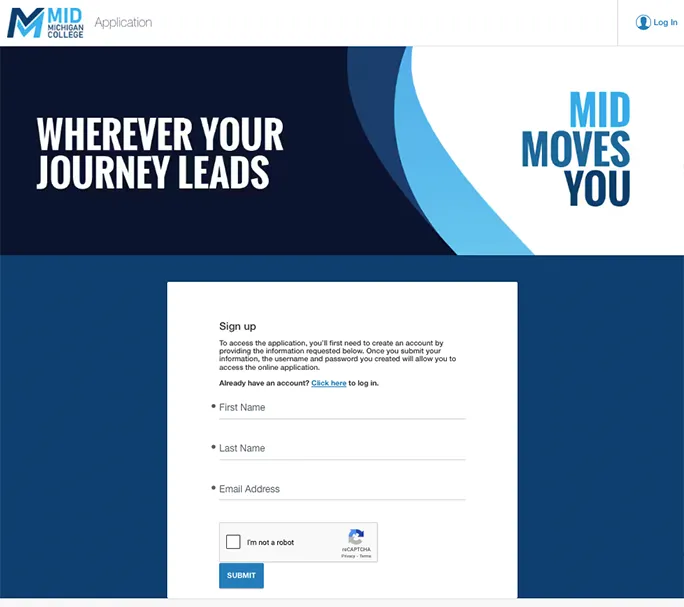
- Follow the instructions to create an account or log in to an existing account.
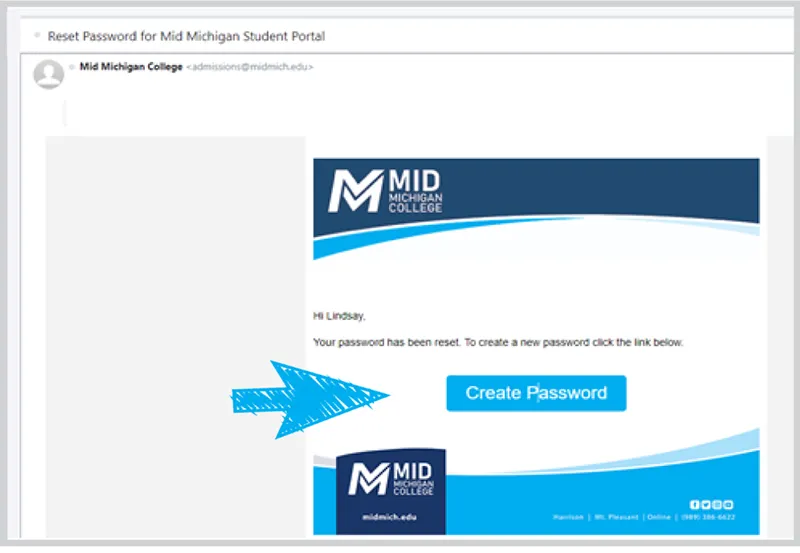
- Check the inbox of the email you entered above for a message from Mid Michigan College. The subject line will read Reset Password for Mid Michigan Student Portal.
- Within this message, click the Create Password button.
- Create your password and click Submit.
- Be sure to remember your email and password for future use.
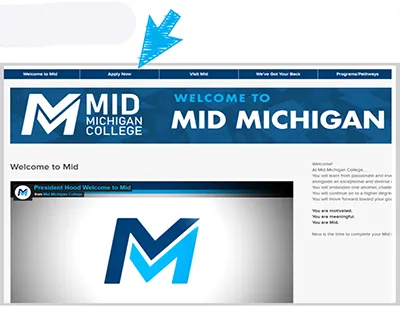
- Once your password is created, you are automatically directed to your Student Application Portal main page.
- Locate and click the Apply Now button.
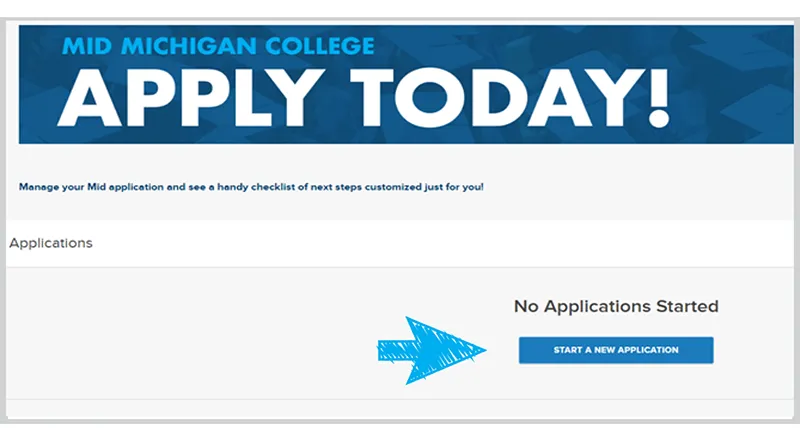
- Click Start A New Application.
- Complete and submit your application!
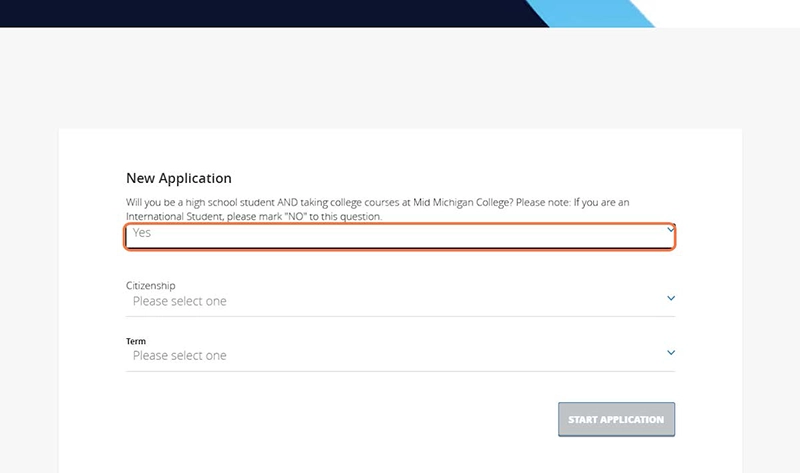
- When asked if you’ll still be a high school student AND taking college courses at Mid Michigan College—answer YES.
- If you are an International Student, answer no this question.
- Most Dual/Concurrent Enrollment students are US Citizens, but answer the Citizenship question according to your legal status.
- Select the Term (semester) during which you plan to begin taking courses at Mid.
- Click the Start Application button.
- Enter your name, preferred phone number, and address information.
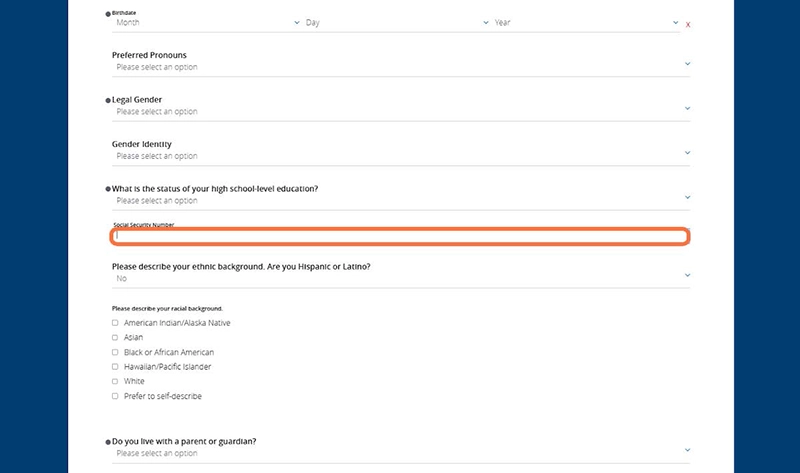
- In this step, you'll provide demographic information such as your birthdate, legal gender, high school status, and living situation.
- There are additional questions—these are optional.
- Providing a Social Security Number (SSN) is not required, but highly recommended.
- Not providing a SSN now prompts a request at the end of the year to obtain one, in accordance with federal regulations.
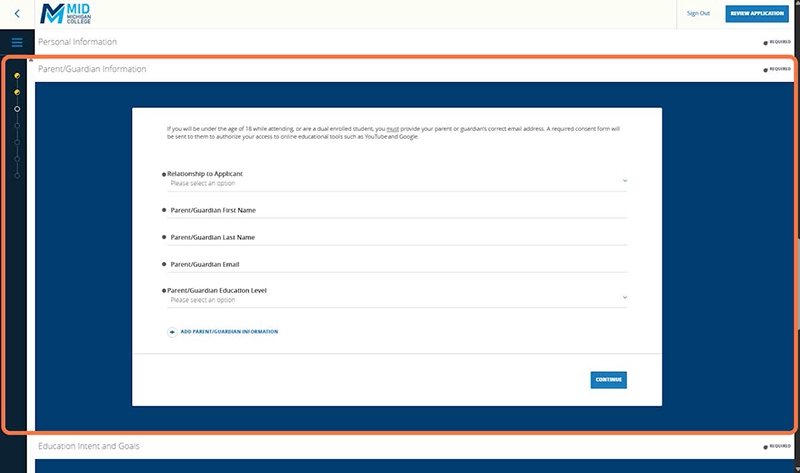
- Provide information on the parent/guardian who will be most involved in your college experience.
- Be sure to provide an accurate parent/guardian email.
- If you are under 18, your parent/guardian will be sent a Parent Consent for Technology Access Form. A signed consent form is vital to ensure you have access to the technology and tools essential to completing coursework and participating fully in college-level courses.
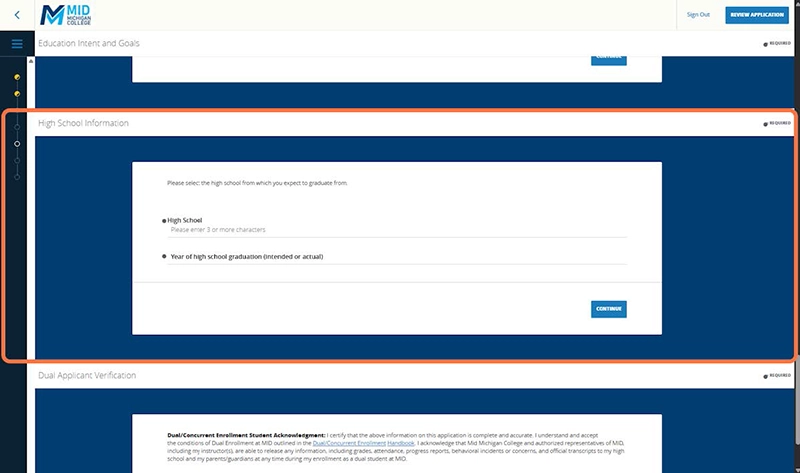
- Choose your high school from the drop-down menu.
- If you cannot find it initially, search using both full spellings and common abbreviations (e.g., search for both Saint and St. or Mount and Mt).
- Abbreviations may or may not include a period.
- The database includes nearly all public and private institutions.
- If you are unable to locate your high school in the drop-down menu, you may select H.S. Not Listed.
- Enter your high school graduation year as a four-digit number (e.g., 2029).
- Acknowledge that the information you've provided on the application is accurate.
- Confirm that you understand how your college record can be managed, who has access to it, and that Mid may share limited academic information with high schools to support dual enrollment coordination and required state reporting.
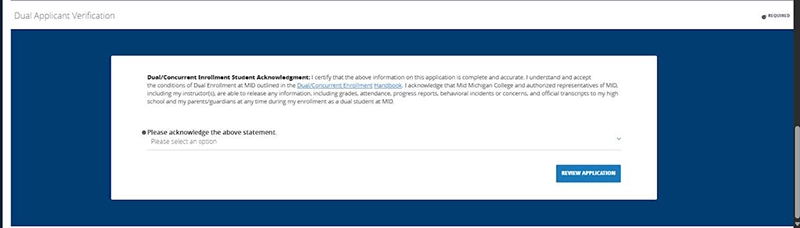
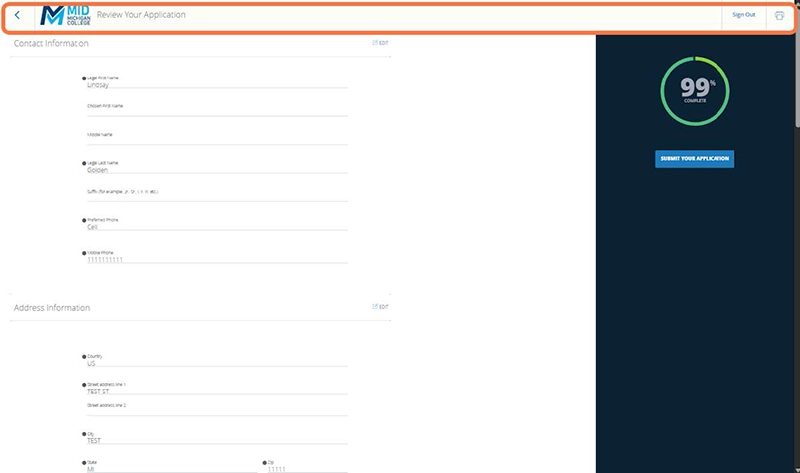
- Under the 99% Complete status indicator, click the Submit Your Application button. Just one more step to go!
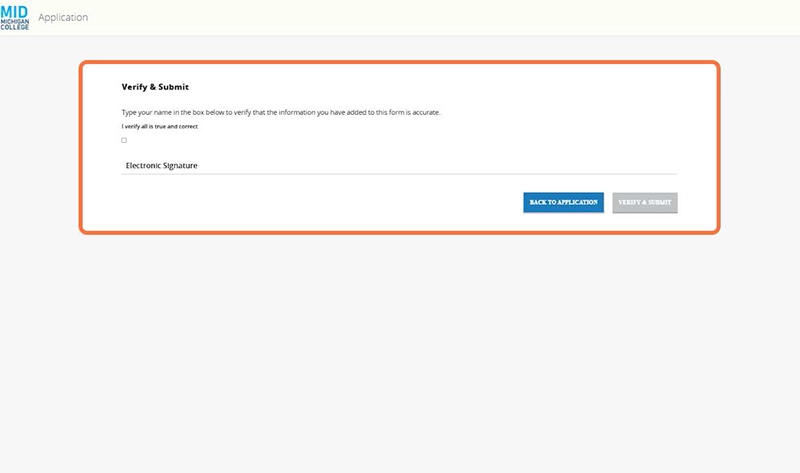
- Verify and submit your application by providing your electronic signature. Simply check the box as instructed, type your name in the Electronic Signature field, and then click the Verify & Submit button.
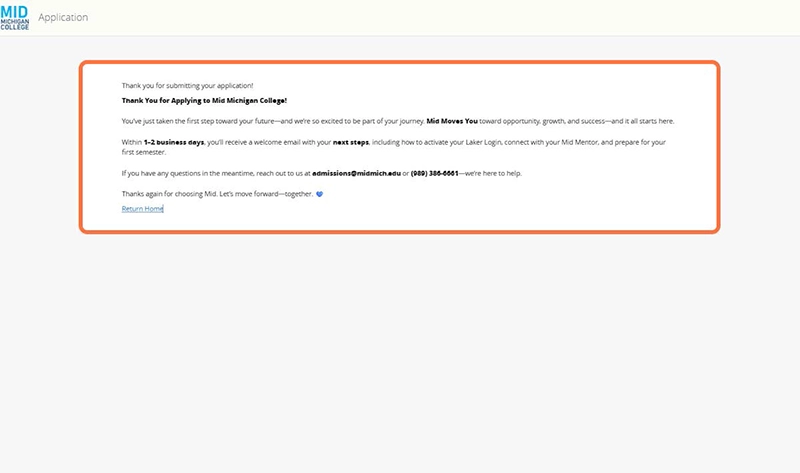
- Time to celebrate! You've taken a big step toward getting a jump start on your college education—we're proud of you!
- Keep an eye out for your Welcome Email and a fun Dual at Mid - How to College as a High School Student Packet in your mailbox soon.
If you have any questions, email dual@midmich.edu.
Last Reviewed: March 2024
