Applying for Benefits & Paying for College
Through your veteran benefits, much of your education may be funded. Veterans may also be eligible for financial aid. We can assist you in determining which benefits work best for your unique situation and will work with you to complete and submit the appropriate paperwork.
Getting Started
You must submit an application for VA education benefits at the Veterans Online Application Website. Retain a copy of your application for your records.
To obtain further information about VA benefits, email veterans@midmich.edu to discuss your options and call 1-800-MICH-VET for a free benefits consultation by the Michigan Veterans Affairs Agency.
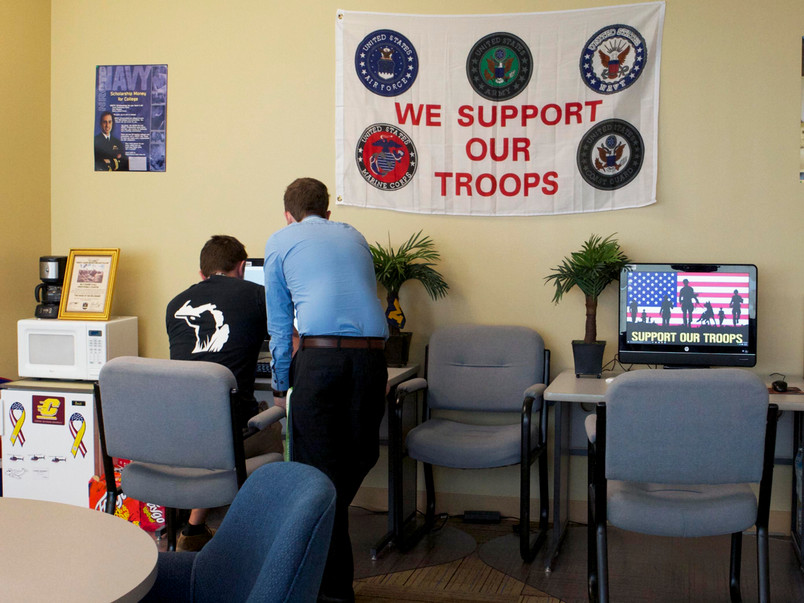
Scholarships & Veteran Benefits
To assist veterans in seamlessly beginning at Mid, we have established funding to provide for students who may experience a delay in their veteran benefit funding.
The Christopher Smith & Estelle Bergey Smith Veteran's Award
This award provides funding for students with unique circumstances that are not always accounted for in federal and state aid programs.
For first-time veteran students, this one-semester award is for recently discharged veterans who are enrolling at Mid but do not have their Veterans Education Benefits established yet. To qualify the veteran must have been honorably discharged from active duty in the last 12 months and demonstrate financial need. The amounts of these awards vary.
If you're looking to get started on your own, the GI Bill® Comparison Tool/Benefits Calculator offers a useful analysis of programs.
Programs are approved for the use of VA educational benefits.
Veteran Educational Programs that are available for students attending Mid include*
- Chapter 30 - Montgomery GI Bill® Active Duty
- Chapter 31 - Vocational Rehabilitation
- Chapter 33 - Post 9/11 Veterans Educational Assistance Act 2008
- Chapter 35 - Survivor's & Dependent's Educational Assistance (DEA)
- Chapter 1606 - Montgomery GI Bill® Selected Reserves
- Children of Veterans Tuition Grant
- Folds of Honor
*Because programs change frequently, this list may not be exhaustive.
GI Bill® is a registered trademark of the U.S. Department of Veterans Affairs (VA). More information about education benefits offered by VA is available at the official U.S. government website at http://www.benefits.va.gov/gibill.
The Certification Process
Access your benefit information via your VA Benefit Information Cards at va.gov.
You can now retrieve your VA Benefit Information Cards online; they serve as proof of eligibility and include details from your last approved application.
- Application processing, which results in Benefit Information Cards being displayed in your account, typically takes a couple of weeks.
- Benefit Information Cards are available for Chapter 30, 1606, Chapter 33, transferred Chapter 33, Fry, and Chapter 35 students.
- Your Benefit Information Cards list the total months received, months used, months remaining, and a benefit end date.
- Print the webpage of your Benefit Information Cards to serve as proof of eligibility.
- The document should include the VA logo, student name, and redacted Social Security Number.
- The document also includes instructions to help students request an updated COE for a foreign school, apply to switch benefits or update eligibility, and request assistance.
- To use your educational benefits, you must be enrolled in a degree-seeking program. Once enrollment is verified, courses are certified and sent electronically to Veterans Affairs.
- You must verify enrollment monthly while using VA Educational Benefits.
- If you are a guest student at Mid requesting VA certification, your home school must complete and forward a parent institution letter to Mid indicating that the courses you are taking at Mid Michigan College will satisfy the degree requirements at their school.
- If you are transferring to Mid Michigan College and are already receiving your VA benefits, contact Mid's Director of Veteran Resources for assistance.
Self-Verification of Enrollment
- Chapter 30 and 1606 students must verify their enrollment monthly, on the last day of the month, utilizing the WAVE verification below. Payments will not be sent until this is done.
- Verify online (preferred) through Web Automated Verification of Enrollment (WAVE). Students must be currently enrolled in an approved educational program and must have a current benefit award to use WAVE.
- Verify by Interactive Voice Response (IVR) at 877-823-2378
- Chapter 33 students must verify their enrollment monthly utilizing the Chapter 33 enrollment verification process.
- Monthly verification has not been adopted for Chapters 31 or 35 benefits.
Do I still need a Certificate of Eligibility (COE)?
- No, COEs typically took 6-8 weeks to arrive by standard mail, which delayed student benefits.
- The new process, outlined above, cuts processing time nearly in half and makes it easier for students to use benefits.
GI Bill® Benefits - Related Next Steps
- Apply to Mid Michigan College. Follow a few simple steps to complete Mid's online application today!
- Provide a copy of your DD-214 by uploading a picture of it to Self-Service, Financial Aid, Required Documents.
- Visit the ArmyIgniteED Student Portal to apply for the Federal Tuition Assistance benefit. You will need to create an account using your military .mil email and working CAC Card. You must apply for the Federal Tuition Assistance benefit if you will be using MINGSTAP.
- Visit the Michigan National Guard State Tuition Assistance Program (MINGSTAP) site and create an account and complete the application prior to or at the beginning of the semester in which you are applying for benefits. Fill in all of the required fields within the form, including your Pay Entry Date and ETS Date. At the end of the semester, you will need to upload the required documents (invoice, transcript, COE for 1606, and verification of use of Federal Tuition Assistance) to receive your reimbursement.
- Visit the VA website and apply for the Federal Chapter 30 GI Bill educational benefit. Send a screenshot or copy of the final page of this application to veterans@midmich.edu so the College has a record of the date you requested your file. Once you complete this application, the VA displays your Benefit Information Cards online, typically within 2-4 weeks.
- Print the webpage of your Benefit Information Cards to serve as proof of eligibility. The document should include the VA logo, student name, and redacted Social Security Number.
- Provide a copy of your Benefit Information Cards by uploading a photo to Self-Service > Financial Aid > Required Documents.
- If you do not have an eBenefits account set up, we highly recommend that you do so.
- If you do not or choose not to have an eBenefits account, contact the VA Educational Department and request that your Benefit Information Cards be mailed to your home address. This can take 6-8 weeks from your application date. We must receive a copy of your Benefit Information Cards to finalize your educational account with the VA.
- Visit the Joint Services Transcript (JST) website. You will need to submit an Official Transcript Request so an official transcript is sent directly to Mid Michigan College.
- Screenshot or download a confirmation of the transcript order and email it to veterans@midmich.edu so we can add it to your file.
- If, for some reason, JST does not send your official transcript promptly, we can use the screenshot of the confirmation screen to start your approval process.
- You should also download a student copy of your transcript for your own records. JST should have an option for Mid Michigan College, Harrison Campus, but if you need to manually enter a recipient and address, use the following information.
- Mid Michigan College
Attn Registrar
1375 South Clare Avenue
Harrison, MI 48625
- Mid Michigan College
- You should also download a student copy of your transcript for your own records. JST should have an option for Mid Michigan College, Harrison Campus, but if you need to manually enter a recipient and address, use the following information.
- If, for some reason, JST does not send your official transcript promptly, we can use the screenshot of the confirmation screen to start your approval process.
- If you are with the Air National Guard, submit your military transcript request through Air Force University.
- If you have the option to send the transcript electronically, request that it be sent to enrollment@midmich.edu. If you need to send your transcript to a physical address, use the address listed above.
- Contact any other educational institutions you have attended and request that they send an official transcript directly to Mid Michigan College.
- If you have the option to send the transcript electronically, request that it be sent to enrollment@midmich.edu. If you need to send your transcript to a physical address, use the address listed above.
- Screenshot or download a confirmation of the transcript order and email it to veterans@midmich.edu so we can add it to your file.
- Complete Mid's Veteran Enrollment Certification Form. You must complete this form every semester you want to use VA benefits.
- Complete Mid's Agreement of Understanding Form.
- Complete the Free Application for Federal Student Aid (FAFSA), as you may be eligible for additional monetary benefits in addition to your veteran educational benefits. If you need assistance with the FAFSA, contact Financial Aid by calling (989) 386-6664 or emailing finaid@midmich.edu.
- Schedule an appointment with your Mid Mentor. Veterans and military-connected students are assigned a dedicated Mid Mentor to help them throughout their time at Mid. Schedule an appointment with your Mid Mentor by calling (989) 386-6622 or scheduling an appointment online.
- Apply to Mid Michigan College. Follow a few simple steps to complete Mid's online application today!
- Provide a copy of your DD-214 by uploading a picture of it to Self-Service, Financial Aid, Required Documents.
- Notify your Veteran Readiness and Employment (VR&E) counselor of your intent to attend Mid Michigan College and provide them with all requested/required documentation. The counselor will then send over the required financial document directly to the College for payment.
- Visit the Joint Services Transcript (JST) website. You will need to submit an Official Transcript Request so an official transcript is sent directly to Mid Michigan College.
- Screenshot or download a confirmation of the transcript order and email it to veterans@midmich.edu so we can add it to your file.
- If, for some reason, JST does not send your official transcript promptly, we can use the screenshot of the confirmation screen to start your approval process.
- You should also download a student copy of your transcript for your own records. JST should have an option for Mid Michigan College, Harrison Campus, but if you need to manually enter a recipient and address, use the following information.
- Mid Michigan College
Attn Registrar
1375 South Clare Avenue
Harrison, MI 48625
- Mid Michigan College
- You should also download a student copy of your transcript for your own records. JST should have an option for Mid Michigan College, Harrison Campus, but if you need to manually enter a recipient and address, use the following information.
- If, for some reason, JST does not send your official transcript promptly, we can use the screenshot of the confirmation screen to start your approval process.
- If you were previously in the Air Force, submit your military transcript request through Air Force University.
- If you have the option to send the transcript electronically, request that it be sent to enrollment@midmich.edu. If you need to send your transcript to a physical address, use the address listed above.
- Contact any other educational institutions you have attended and request that they send an official transcript directly to Mid Michigan College.
- If you have the option to send the transcript electronically, request that it be sent to enrollment@midmich.edu. If you need to send your transcript to a physical address, use the address listed above.
- Screenshot or download a confirmation of the transcript order and email it to veterans@midmich.edu so we can add it to your file.
- Complete Mid's Veteran Enrollment Certification Form. You must complete this form every semester you want to use VA benefits.
- Complete Mid's Agreement of Understanding Form.
- Complete the Free Application for Federal Student Aid (FAFSA), as you may be eligible for additional monetary benefits in addition to your veteran educational benefits. If you need assistance with the FAFSA, contact Financial Aid by calling (989) 386-6664 or emailing finaid@midmich.edu.
- Schedule an appointment with your Mid Mentor. Veterans and military-connected students are assigned a dedicated Mid Mentor to help them throughout their time at Mid. Schedule an appointment with your Mid Mentor by calling (989) 386-6622 or scheduling an appointment online.
- Apply to Mid Michigan College. Follow a few simple steps to complete Mid's online application today!
- Provide a copy of your DD-214 by uploading a picture of it to Self-Service, Financial Aid, Required Documents.
- Visit the VA website and apply for the Federal Chapter 33 GI Bill educational benefit. Send a screenshot or copy of the final page of this application to veterans@midmich.edu so the College has a record of the date you requested your file.
- Once you complete this application, the VA displays your Benefit Information Cards online, typically within 2-4 weeks.
- Print the webpage of your Benefit Information Cards to serve as proof of eligibility. The document should include the VA logo, student name, and redacted Social Security Number.
- Provide a copy of your Benefit Information Cards by uploading a photo to Self-Service > Financial Aid > Required Documents.
- If you do not have an eBenefits account set up, we highly recommend that you do so.
- If you do not or choose not to have an eBenefits account, contact the VA Educational Department and request that your Benefit Information Cards be mailed to your home address. This can take 6-8 weeks from your application date. We must receive a copy of your Benefit Information Cards to finalize your educational account with the VA.
- Visit the Joint Services Transcript (JST) website. You will need to submit an Official Transcript Request so an official transcript is sent directly to Mid Michigan College.
- Screenshot or download a confirmation of the transcript order and email it to veterans@midmich.edu so we can add it to your file.
- If, for some reason, JST does not send your official transcript promptly, we can use the screenshot of the confirmation screen to start your approval process.
- You should also download a student copy of your transcript for your own records. JST should have an option for Mid Michigan College, Harrison Campus, but if you need to manually enter a recipient and address, use the following information.
- Mid Michigan College
Attn Registrar
1375 South Clare Avenue
Harrison, MI 48625
- Mid Michigan College
- You should also download a student copy of your transcript for your own records. JST should have an option for Mid Michigan College, Harrison Campus, but if you need to manually enter a recipient and address, use the following information.
- If, for some reason, JST does not send your official transcript promptly, we can use the screenshot of the confirmation screen to start your approval process.
- If you were previously in the Air Force, submit your military transcript request through Air Force University.
- If you have the option to send the transcript electronically, request that it be sent to enrollment@midmich.edu. If you need to send your transcript to a physical address, use the address listed above.
- Contact any other educational institutions you have attended and request that they send an official transcript directly to Mid Michigan College.
- If you have the option to send the transcript electronically, request that it be sent to enrollment@midmich.edu. If you need to send your transcript to a physical address, use the address listed above.
- Screenshot or download a confirmation of the transcript order and email it to veterans@midmich.edu so we can add it to your file.
- Complete Mid's Veteran Enrollment Certification Form. You must complete this form every semester you want to use VA benefits.
- Complete Mid's Agreement of Understanding Form.
- Complete the Free Application for Federal Student Aid (FAFSA), as you may be eligible for additional monetary benefits in addition to your veteran educational benefits. If you need assistance with the FAFSA, contact Financial Aid by calling (989) 386-6664 or emailing finaid@midmich.edu.
- Schedule an appointment with your Mid Mentor. Veterans and military-connected students are assigned a dedicated Mid Mentor to help them throughout their time at Mid. Schedule an appointment with your Mid Mentor by calling (989) 386-6622 or scheduling an appointment online.
- Apply to Mid Michigan College. Follow a few simple steps to complete Mid's online application today!
- Visit the VA website and apply for the Federal Chapter 33 GI Bill educational benefit. Send a screenshot or copy of the final page of this application to veterans@midmich.edu so the College has a record of the date you requested your file.
- Once you complete this application, the VA displays your Benefit Information Cards online, typically within 2-4 weeks.
- Print the webpage of your Benefit Information Cards to serve as proof of eligibility. The document should include the VA logo, student name, and redacted Social Security Number.
- Provide a copy of your Benefit Information Cards by uploading a photo to Self-Service > Financial Aid > Required Documents.
- If you do not have an eBenefits account set up, we highly recommend that you do so.
- If you do not or choose not to have an eBenefits account, contact the VA Educational Department and request that your Benefit Information Cards be mailed to your home address. This can take 6-8 weeks from your application date. We must receive a copy of your Benefit Information Cards to finalize your educational account with the VA.
- Complete Mid's Veteran Enrollment Certification Form. You must complete this form every semester you want to use VA benefits.
- Complete Mid's Agreement of Understanding Form.
- Complete the Free Application for Federal Student Aid (FAFSA), as you may be eligible for additional monetary benefits in addition to your veteran educational benefits. If you need assistance with the FAFSA, contact Financial Aid by calling (989) 386-6664 or emailing finaid@midmich.edu.
- Schedule an appointment with your Mid Mentor. Veterans and military-connected students are assigned a dedicated Mid Mentor to help them throughout their time at Mid. Schedule an appointment with your Mid Mentor by calling (989) 386-6622 or scheduling an appointment online.
Survivor & Dependent Scholarship Opportunities
- Folds of Honor
- This is a scholarship for the dependents of veterans who had/have at least a 10% disability rating. Visit the Folds of Honor Website for a higher education checklist and requirement details.
- Children of Veterans Tuition Grant
- This is a scholarship for dependents of veterans who have a 100% disability rating through the VA, were killed in action, or were listed as missing in action. Visit the State of Michigan's Website for additional details.
- The Heroes' Legacy Scholarship for Service Members
- The Heroes' Legacy Scholarship was founded from the proceeds of President Barack Obama's children's book, Of Thee I Sing: A Letter to My Daughters. The proceeds were donated to the Fisher House Foundation to establish a scholarship fund for the Children of fallen and disabled Service Members. Visit the US Army Website for additional details.
- Apply to Mid Michigan College. Follow a few simple steps to complete Mid's online application today!
- Visit the ArmyIgniteED Student Portal to apply for the Federal Tuition Assistance benefit. You will need to create an account using your military .mil email and working CAC Card.
- Visit the Joint Services Transcript (JST) website. You will need to submit an Official Transcript Request so an official transcript is sent directly to Mid Michigan College.
- Screenshot or download a confirmation of the transcript order and email it to veterans@midmich.edu so we can add it to your file.
- If, for some reason, JST does not send your official transcript promptly, we can use the screenshot of the confirmation screen to start your approval process.
- You should also download a student copy of your transcript for your own records. JST should have an option for Mid Michigan College, Harrison Campus, but if you need to manually enter a recipient and address, use the following information.
- Mid Michigan College
Attn Registrar
1375 South Clare Avenue
Harrison, MI 48625
- Mid Michigan College
- You should also download a student copy of your transcript for your own records. JST should have an option for Mid Michigan College, Harrison Campus, but if you need to manually enter a recipient and address, use the following information.
- If, for some reason, JST does not send your official transcript promptly, we can use the screenshot of the confirmation screen to start your approval process.
- If you were previously in the Air Force, submit your military transcript request through Air Force University.
- If you have the option to send the transcript electronically, request that it be sent to enrollment@midmich.edu. If you need to send your transcript to a physical address, use the address listed above.
- Contact any other educational institutions you have attended and request that they send an official transcript directly to Mid Michigan College.
- If you have the option to send the transcript electronically, request that it be sent to enrollment@midmich.edu. If you need to send your transcript to a physical address, use the address listed above.
- Screenshot or download a confirmation of the transcript order and email it to veterans@midmich.edu so we can add it to your file.
- Complete Mid's Veteran Enrollment Certification Form. You must complete this form every semester you want to use VA benefits.
- Complete Mid's Agreement of Understanding Form.
- Complete the Free Application for Federal Student Aid (FAFSA), as you may be eligible for additional monetary benefits in addition to your veteran educational benefits. If you need assistance with the FAFSA, contact Financial Aid by calling (989) 386-6664 or emailing finaid@midmich.edu.
- Schedule an appointment with your Mid Mentor. Veterans and military-connected students are assigned a dedicated Mid Mentor to help them throughout their time at Mid. Schedule an appointment with your Mid Mentor by calling (989) 386-6622 or scheduling an appointment online.
- Apply to Mid Michigan College. Follow a few simple steps to complete Mid's online application today!
- Visit the ArmyIgniteED Student Portal to apply for the Federal Tuition Assistance benefit. You will need to create an account using your military .mil email and working CAC Card. You must apply for the Federal Tuition Assistance benefit if you will be using MINGSTAP.
- Visit the Michigan National Guard State Tuition Assistance Program (MINGSTAP) site and create an account and complete the application prior to or at the beginning of the semester in which you are applying for benefits. Fill in all of the required fields within the form, including your Pay Entry Date and ETS Date. At the end of the semester, you will need to upload the required documents (invoice, transcript, COE for 1606, and verification of use of Federal Tuition Assistance) to receive your reimbursement.
- Visit the VA website and apply for the Federal Chapter 30 GI Bill educational benefit. Send a screenshot or copy of the final page of this application to veterans@midmich.edu so the College has a record of the date you requested your file. Once you complete this application, the VA displays your Benefit Information Cards online, typically within 2-4 weeks.
- Print the webpage of your Benefit Information Cards to serve as proof of eligibility. The document should include the VA logo, student name, and redacted Social Security Number.
- Provide a copy of your Benefit Information Cards by uploading a photo to Self-Service > Financial Aid > Required Documents.
- If you do not have an eBenefits account set up, we highly recommend that you do so.
- If you do not or choose not to have an eBenefits account, contact the VA Educational Department and request that your Benefit Information Cards be mailed to your home address. This can take 6-8 weeks from your application date. We must receive a copy of your Benefit Information Cards to finalize your educational account with the VA.
- Visit the Joint Services Transcript (JST) website. You will need to submit an Official Transcript Request so an official transcript is sent directly to Mid Michigan College.
- Screenshot or download a confirmation of the transcript order and email it to veterans@midmich.edu so we can add it to your file.
- If, for some reason, JST does not send your official transcript promptly, we can use the screenshot of the confirmation screen to start your approval process.
- You should also download a student copy of your transcript for your own records. JST should have an option for Mid Michigan College, Harrison Campus, but if you need to manually enter a recipient and address, use the following information.
- Mid Michigan College
Attn Registrar
1375 South Clare Avenue
Harrison, MI 48625
- Mid Michigan College
- You should also download a student copy of your transcript for your own records. JST should have an option for Mid Michigan College, Harrison Campus, but if you need to manually enter a recipient and address, use the following information.
- If, for some reason, JST does not send your official transcript promptly, we can use the screenshot of the confirmation screen to start your approval process.
- If you were previously in the Air Force, submit your military transcript request through Air Force University.
- If you have the option to send the transcript electronically, request that it be sent to enrollment@midmich.edu. If you need to send your transcript to a physical address, use the address listed above.
- Contact any other educational institutions you have attended and request that they send an official transcript directly to Mid Michigan College.
- If you have the option to send the transcript electronically, request that it be sent to enrollment@midmich.edu. If you need to send your transcript to a physical address, use the address listed above.
- Screenshot or download a confirmation of the transcript order and email it to veterans@midmich.edu so we can add it to your file.
- Complete Mid's Veteran Enrollment Certification Form. You must complete this form every semester you want to use VA benefits.
- Complete Mid's Agreement of Understanding Form.
- Complete the Free Application for Federal Student Aid (FAFSA), as you may be eligible for additional monetary benefits in addition to your veteran educational benefits. If you need assistance with the FAFSA, contact Financial Aid by calling (989) 386-6664 or emailing finaid@midmich.edu.
- Schedule an appointment with your Mid Mentor. Veterans and military-connected students are assigned a dedicated Mid Mentor to help them throughout their time at Mid. Schedule an appointment with your Mid Mentor by calling (989) 386-6622 or scheduling an appointment online.
